
Vocabulary - Learn words daily
Monkey Taps LLCEducation
4.51.96K Reviews
- Version
- Varies With Device
- Installs
- 5.00M
- Age Rating
- Everyone
Screenshots
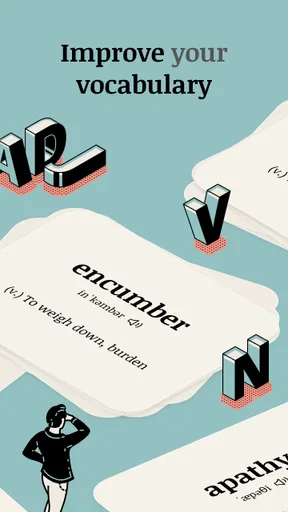
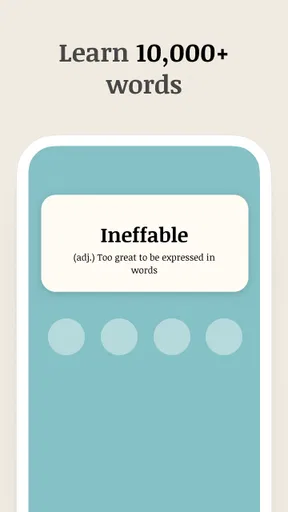

Our Review of Vocabulary - Learn words daily
 Analysis by Appyee
I like vocabulary tools best when they make learning feel manageable rather than turning it into another course I have to keep up with. Vocabulary - Learn words daily is an education app from Monkey Taps LLC built around brief, regular encounters with words. It’s free to download, rated for Everyone, and has a 4.7 average from around 101,000 ratings, which gives a newcomer a useful sense of its broad appeal without promising that every learner will respond to it the same way.
A small daily habit, not a complete language course
The central idea is simple: make room for new vocabulary in the gaps of an ordinary day. That suits people who enjoy collecting words, want to sharpen their written expression, or would like a light study routine alongside school or work. I see it as a prompt to notice and remember language, not as a replacement for reading, conversation, or a structured course.
The app’s appeal is also its main constraint. A short daily session can make starting easier, but recognizing a definition once is not the same as being able to use a word naturally. I’d treat each new entry as a lead: pause over it, think of a sentence that fits your life, and look for it again in something you read. That extra effort is what turns a quick encounter into useful knowledge.
Getting Started with Vocabulary - Learn Words Daily
First things first, downloading the app is a breeze. Available on both Android and iOS, it’s just a quick search away on the App Store or Google Play. Once installed, you’re greeted with a clean and straightforward interface. No frills, just the essentials, which I appreciate because sometimes less is more.
Upon opening the app, you’re prompted to set your preferences. You can choose the number of words you want to learn daily, from a modest one word a day to a more ambitious ten. I opted for five words per day, striking a balance between learning and not overwhelming myself.
Features That Make It Stand Out
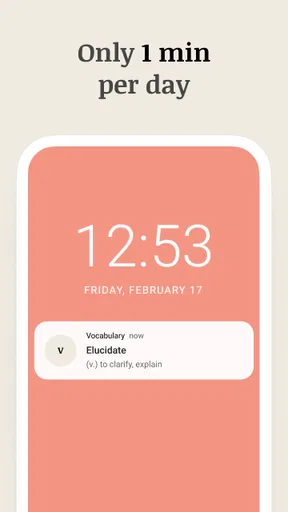
One of the coolest features is the word of the day notification. Each day, a new word pops up on your screen, complete with its definition and usage. It’s like a mini surprise waiting for you every morning. There's even a pronunciation guide, which is super handy for those tricky words that look nothing like they sound.
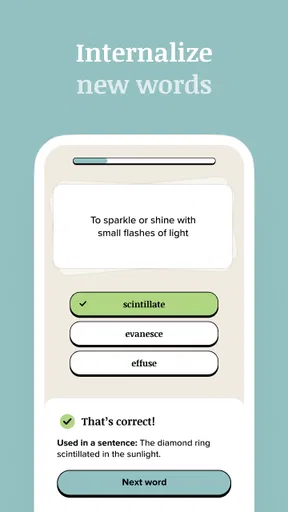
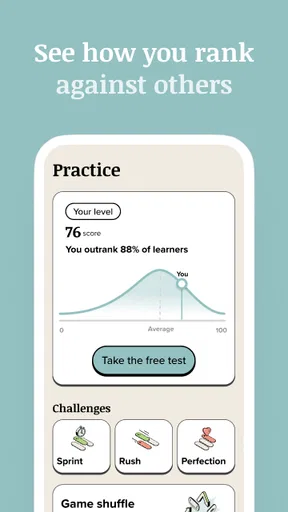
The app also offers quizzes to test your knowledge. These quizzes are engaging and designed to reinforce what you've learned. It’s like having a personal vocabulary coach in your pocket. Plus, there's a progress tracker, so you can see how far you've come. This feedback loop is motivating and keeps you coming back for more.
Making words stick between sessions
A practical way to get more from a daily word is to attach it to a real situation instead of trying to memorize it in isolation. If a word describes a feeling, connect it to a moment when you felt that way. If it belongs in a formal conversation, write a sentence you might actually use in an email or meeting. This takes only a little longer than reading the definition, but it gives your memory a stronger cue to retrieve later.
Notifications can help establish a routine, but I wouldn’t let them dictate one. If a reminder arrives while you’re busy, return to the word when you have a quiet minute rather than tapping through it distractedly. A useful test is whether you can explain the word in your own words later that day. If not, revisit it before adding more new material; increasing the daily target is not automatically the same as learning more.
Interactive Learning
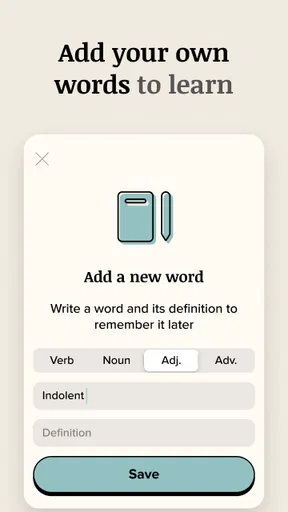
The interactive aspect of Vocabulary - Learn words daily is what really hooked me. You can create your own word lists, which is perfect if you’re studying for exams like the SAT or GRE. The app also allows you to share your progress with friends, adding a social element to the mix. Who knew learning words could be a social event?
Another neat feature is the integration with other apps. You can save new words directly to your notes or share them across social media platforms. It’s seamless and makes incorporating new vocabulary into your daily routine effortless.
Useful workflows for study and everyday life
For exam preparation, I’d use personal lists to collect words that repeatedly cause trouble in reading passages, rather than treating a daily feed as a complete study plan. A short quiz can serve as a check-in, while the list gives you a place to gather material around a goal. For a workday, the same idea can be narrower: save terms that would help you write more precisely, then try one in a draft where it genuinely fits. The point is to use the tools as a bridge to your own practice, not as a substitute for it.
There’s also a small but useful trade-off in sharing progress. Telling a friend what you’re learning can make a habit feel more accountable, and explaining a word aloud is a good retrieval exercise. But sharing is optional in spirit: if you prefer private study, the app’s value does not depend on turning learning into a public challenge. I’d keep the social side only if it makes you more consistent rather than more self-conscious.
A realistic routine might be a commuter checking one entry while waiting for a train, then saving a particularly useful word to a personal list. Later, during a break, they could test themselves with a quiz and try to use the word in a message or conversation. That is more likely to build recall than opening the app repeatedly without connecting its entries to anything outside the screen.
Who is likely to enjoy it
If you're a word nerd like me, you'll find this app to be a treasure trove of linguistic goodies. It's perfect for anyone looking to enhance their vocabulary for personal or professional reasons. The app’s design is intuitive, making it accessible for users of all ages.
One thing I found particularly useful is the customization options. You can tailor the learning experience to fit your schedule and learning style. Whether you're a morning learner or a night owl, the app adapts to your needs.
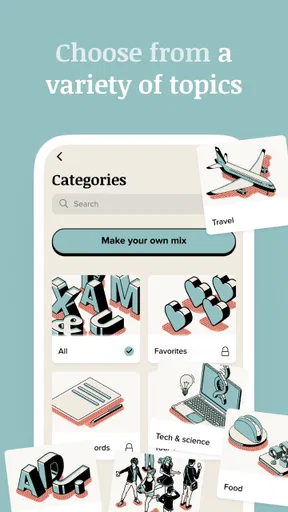
Also, the app offers a variety of word categories. Whether you’re interested in business, science, or just everyday vocabulary, there’s something here for everyone. It’s like having a personalized dictionary that grows with you.
Where it fits among other learning options
Compared with a dictionary, this is a more guided way to encounter vocabulary: a dictionary is better when you already have a word to look up, while a daily-learning app gives you a reason to pay attention to one you might not have sought out. Compared with flashcards, its daily rhythm can feel lighter, though learners who need carefully scheduled review and detailed control over a large deck may prefer a dedicated flashcard system. And compared with reading, it offers a more direct focus on individual words, but reading supplies the surrounding context that helps reveal tone and natural usage.
That distinction matters if you are learning English as an additional language. A definition and pronunciation can be a helpful starting point, but real fluency also depends on hearing words in conversation and seeing how they behave in different sentences. I would pair this app with reading or listening practice rather than expecting a vocabulary feed alone to teach idiom, grammar, or conversational timing.
The app is less suited to someone who needs a formal syllabus, teacher feedback, or a carefully paced exam curriculum. It may also feel too light for a learner who wants every new word accompanied by extensive examples and a deep explanation. In those cases, a course or reference resource is a better primary tool; this can still work as a small supplement if the daily format appeals.
Room for Improvement
No app is perfect, and Vocabulary - Learn words daily is no exception. While the basic version is free, some features are locked behind a paywall. The premium version offers more words per day and an ad-free experience. It’s not a deal-breaker, but something to consider if you’re on a budget.
The user interface, while clean, could benefit from a bit more flair. A touch of color or some interactive animations could make the learning process even more engaging. But, at the end of the day, it's the content that matters most, and this app delivers on that front.
Another suggestion would be to include more comprehensive explanations of the words. Sometimes a simple definition isn't enough, and having more context could enhance the learning experience.
Questions worth considering before you settle into a routine
Is the free option enough to try the approach? It is free to download, so you can see whether a daily vocabulary habit suits you before deciding whether to spend anything. In-app purchases range from $2.99 to $149.99 per item, so I’d check the specific purchase details in the app and decide based on the features you personally need rather than assuming you must upgrade.
How much time should you set aside? The daily format is designed to be brief, but the useful amount depends on whether you stop at reading or also practise recall. I’d begin with a modest target and increase it only if you can remember and use what you’ve already seen. A smaller number of words you can explain is more valuable than a larger number that blurs together.
Will it help with a test or professional writing? It can support those goals by bringing words to your attention and giving you ways to revisit them, but I wouldn’t rely on it as the whole preparation plan. For a test, combine it with the exam’s own reading and practice materials. For work, check that a new word suits the tone and audience before using it; a more sophisticated word is not always a clearer one.
The app has been available since February 2016 and has passed five million installs, so it is an established option rather than a brand-new experiment. That history and its 1.6 thousand reviews can help set expectations about its reach, but neither popularity nor a strong rating tells you whether its pace matches your learning style. The best test is whether you return to it and remember the words beyond the first screen.
What I’d watch for as a learner
When choosing whether to keep using it, I’d pay attention to retention, not just streaks or the number of entries encountered. Can you recognize yesterday’s word without looking? Can you use one from last week in a sentence that sounds natural? Those questions give a more honest measure of progress than simply opening the app every day.
I’d also watch for the point where a daily routine becomes too easy to complete without much thought. If that happens, make the session more active: cover the definition and recall it, say the word aloud, or write an original example before checking the app’s explanation. If the material feels too demanding, reduce the daily load instead of abandoning the habit. That flexibility is more useful than treating a target as a test of willpower.
As the product continues to be used, the things I’d care about most are whether its learning flow stays clear, whether the words offer enough context to be genuinely useful, and whether the free experience remains worthwhile for casual learners. Those are sensible points to keep an eye on, not promises about future changes. For now, I’d judge it by how well it supports a steady, low-pressure practice.
In conclusion, if you're looking to boost your vocabulary in a fun and interactive way, Vocabulary - Learn words daily is definitely worth checking out. It’s user-friendly, educational, and a great tool for anyone looking to expand their language skills. So go ahead, give it a try, and watch your vocabulary flourish!
Verdict
Strengths of Vocabulary - Learn words daily
- User-friendly interface for easy navigation.
- Daily reminders to keep learning on track.
- Wide variety of vocabulary topics available.
- Interactive quizzes enhance learning retention.
- Offline mode available for learning anywhere.
Limitations of Vocabulary - Learn words daily
- Limited free content without subscription.
- Some features require constant internet.
- Ads can be intrusive in the free version.
- Occasional bugs cause minor app crashes.
- Advanced levels lack depth in content.
Other Releases by Monkey Taps LLC
View All
Bible Widgets
Lifestyle4.9
Similar Picks in This Category
View All
Duolingo: Language Lessons
Duolingo4.7

Google Classroom
Google LLC2.8

Unacademy: Learn & Crack Exams
Unacademy3.2

Bible App for Kids
Life.Church4.4

Cake - Learn English & Korean
Cake Corp.4.7

Brainly: AI Homework Helper
Brainly4.5
Frequently Asked Questions
What is Vocabulary - Learn Words Daily?
Vocabulary - Learn Words Daily is an educational app designed to enhance your vocabulary by introducing new words every day. It uses various engaging methods such as quizzes, flashcards, and daily challenges to facilitate learning and retention. The app is suitable for all ages and skill levels.
How does the app improve my vocabulary?
The app offers daily word challenges, flashcards, and quizzes to reinforce learning. It employs spaced repetition techniques to ensure long-term retention. Additionally, the app provides detailed definitions, example sentences, and pronunciation guides, making it easier to understand and remember new words.
Is Vocabulary - Learn Words Daily suitable for all ages?
Yes, the app is designed for users of all ages. Whether you're a student, a professional, or simply someone looking to improve your language skills, the app offers tailored content to match different learning levels and interests, ensuring a personalized learning experience.
Are there in-app purchases or ads in the app?
Vocabulary - Learn Words Daily offers a free version with basic features, which includes ads. For an ad-free experience and access to advanced features, users can opt for in-app purchases. These purchases offer enhanced learning tools, such as expanded word lists and additional quizzes.
Can I track my progress in the app?
Yes, the app includes a progress tracker that allows you to monitor your learning journey. It records words learned, quizzes completed, and overall performance. This feature helps users stay motivated by visualizing their improvements and setting personalized learning goals.
